
The image below displays the 'Multiple manifest files found' error after uploading the SCORM package. The 'Multiple manifest files found' error is usually caused by 2 or more IMSMANIFEST files in the SCORM package. To resolve the issue, you must delete the excess IMSMANIFEST file.
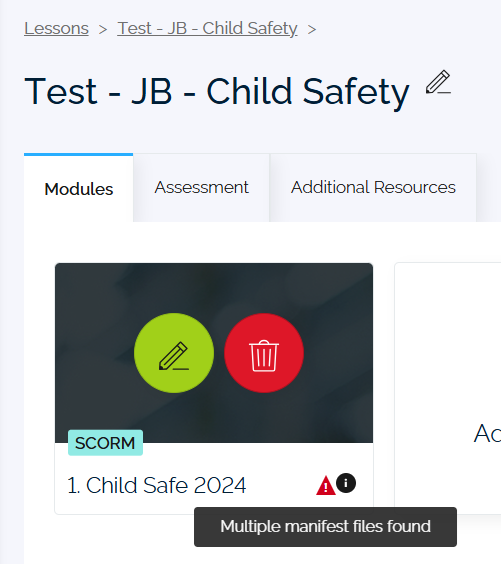
Resolve the 'Multiple manifest files found' error by following these steps:
-
If the SCORM package is zipped, you will have to extract it (right-click, then select Extract All).
-
Open the extracted SCORM package. You will find the first IMSMANIFEST file that you should keep.
-
Find the excess IMSMANIFEST file using the search bar or by opening each folder. Delete the duplicate IMSMANIFEST file.
Note: You will not be able to delete the duplicate IMSMANIFEST file without extracting the SCORM package. -
After deleting the duplicate IMSMANIFEST, compress the SCORM package (right-click, Compress to... ZIP file).
-
Reupload the SCORM in Damstra Learning.
Note: You will not be able to reupload the SCORM package without compressing it into ZIP file.
Comments
0 comments
Please sign in to leave a comment.