
This information is available in order to assist you with maintaining a high level of cleanliness and sanitation of the Damstra equipment. This document covers the three main type of devices that Damstra Technology currently provides; they are:
- Damstra Terminal (DT-MK1, DT-MK2 and DT-MK2P)

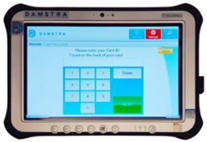
- Damstra Portable Terminal (DT-PTMK2)
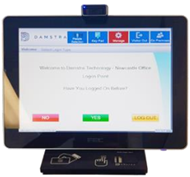
- Damstra Visitor Terminal (DT-VTMK2)
The table below goes through the recommendations for cleaning each of the main components in these units:
|
Image
|
Component
|
Found in
|
Cleaning Instructions
|
|
|
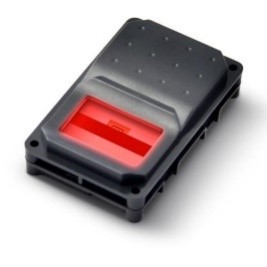
Biopod (Fingerscan)
|
1. Damstra Terminal
2. Damstra Visitor Terminal
3. Damstra Portable Terminal
|
- In order to not affect the use of the biopod, wiping down the device is not recommended
- The recommendation from the manufacturer is to supply hand sanitizer close to the location of the biopod and enforce workers to clean their hands before and after supplying their fingerprint
|
|
|
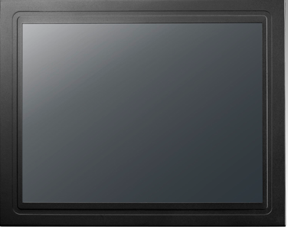
Touchscreen
|
1. Damstra Terminal
|
- Apply household glass cleaner and water to a soft non-abrasive cloth
- Gently wipe down the entire surface of the touchscreen with a soft non-abrasive cloth
- Take a second dry soft non-abrasive cloth and immediately wipe down the entire surface of the touchscreen
|
|
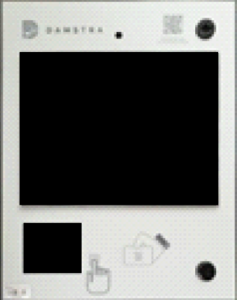
|
Terminal Decal
|
2. Damstra Terminal
|
- Apply Methylated spirits or Isopropyl alcohol to a cloth and wipe down the entire surface of the decal
- Once complete, immediately take a dry soft non-abrasive cloth and wipe over the entire surface of the decal again
|
|
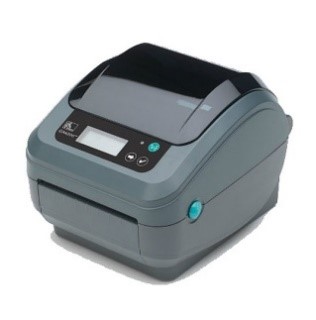
|
Sticker Printer
|
1. Damstra Terminal
2. Damstra Visitor Terminal
|
- Apply a small amount of isopropyl or ethyl alcohol-based cleaner to a soft non-abrasive cloth
- Wipe down the body and screen of the unit thoroughly
- Once complete, dry with a soft non-abrasive cloth straight away
|
|
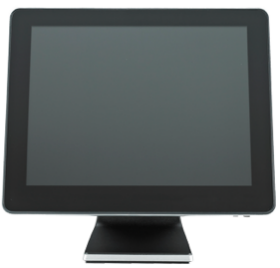
|
Visitor Terminal screen and body
|
3. Damstra Visitor Terminal
|
- Apply a small amount of isopropyl alcohol to a lint-free cloth or cotton swab
- Gently wipe the exterior surface and screen completely
- Once complete, immediately take a dry soft non-abrasive cloth and wipe over the entire surface of the screen again
NB: DO NOT use any cleaning solutions that contain Acetone, Nitric acid or Ammonia.
|
|
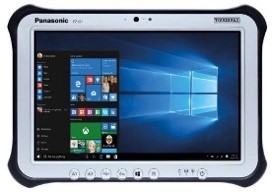
|
Portable Terminal Tablet
|
1. Damstra Portable Terminal
|
- Apply an Ammonium Chloride or Peroxide based cleaning agent to a microfiber cloth and wipe down the entire surface of the decal
- Once complete, immediately take a dry soft non-abrasive cloth and wipe over the entire surface of the device
|
|
|
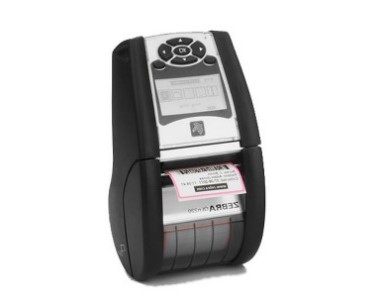
Bluetooth Sticker Printer
|
1. Damstra Portable Terminal
|
- Apply a small amount of isopropyl or ethyl alcohol-based cleaner to a soft non-abrasive cloth
- Wipe down the body and screen of the unit thoroughly
- Once complete, dry with a soft non-abrasive cloth straight away.
|
NB: Cleaning agents should never be applied directly to any of the components mentioned. Always apply the cleaning agent to the cloth you will use to wipe the units down.


Comments
0 comments
Please sign in to leave a comment.