
 What you’ll need
You will need the following components and tools to complete this install:
- Camera and bracket
- Phillips Head Screwdriver
- Snips
- Zip ties
How to install
Follow the instructions below to complete the installation:
- Please unplug the USB camera from the terminal and cut the zip ties holding the cables
- Unscrew the screw holding the bracket and slide the camera and bracket out
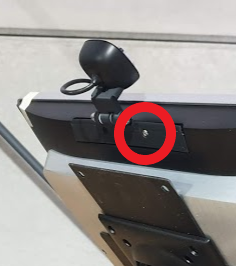
- Slide the replacement camera and bracket into the slot and screw it back in
- Connect the USB cable back into the available USB port
- Please zip tie the cable to the bracket, leaving some slack
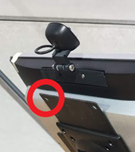
- Tuck the remaining cable inside the stand
What to do with the replaced components?
Please arrange to ship the replaced components to:
Damstra Technology c/o Phoenix EMS
2/8 Nelson Rd,
Cardiff NSW 2285
Ph: 1300 074 636
You can use the same box and packing materials that the replacement components were sent to you using.

Comments
0 comments
Please sign in to leave a comment.