
How to Access Online Training
Complete online assessments anytime and anywhere through the convenience of your mobile phone. Just download the TWMS Mobile App and follow these easy steps:
1. Login to your employee portal account
2. Click Upload Document

3. Select a lesson, then click  to expand
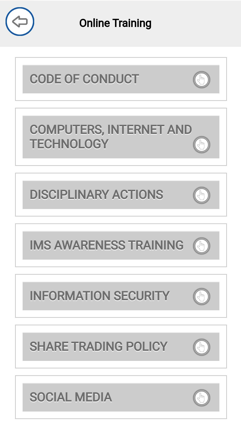
4. Lesson details including when it was added, expiry date, access code, and link will display.
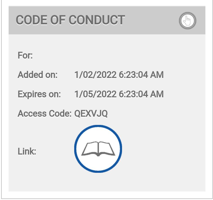
5. Click the link  and you will be directed to where you can complete the lesson.
Comments
0 comments
Please sign in to leave a comment.