
How to Check Expired Skills
Users may see expired skills by going to,
- My Profile
1. Log in to TWMS Mobile App
2. Click My Profile

3. Below the Site Access, there are Skills
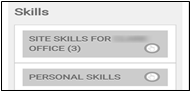
4. Click  to expand
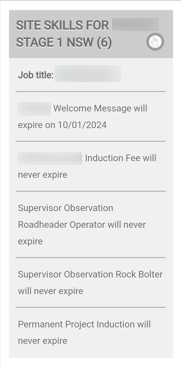
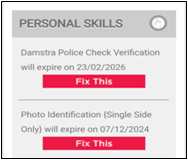
5. Renew expired personal skills by clicking 
Note: Seek your accountholder’s assistance in renewing your site skills.
6. You will be directed to Upload Document
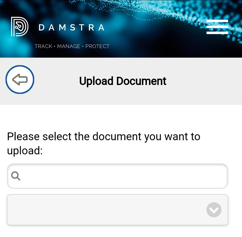
Note: Uploaded documents will be reviewed within 24-48 hours. A notification will be sent to email if declined.
- Expiry Dates
1. Log in to TWMS Mobile App
2. Click Expiry Dates

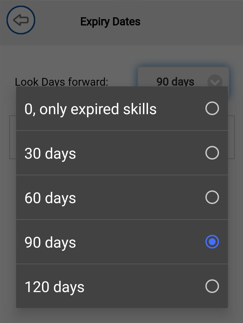
3. Change Look Days Forward from 0 to 120 days
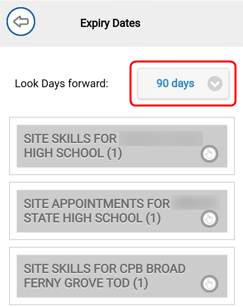
4. Click  to expand
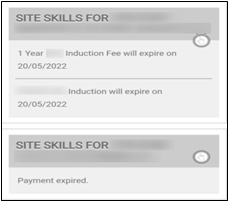
Note: Seek your accountholder’s assistance in renewing your site skills.
Comments
0 comments
Please sign in to leave a comment.